
To install firmware, proceed as follows:
- Connect the ValueCut plotter with a USB cable to your computer.
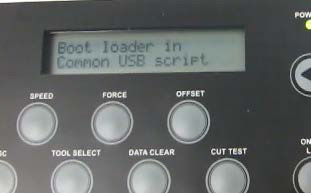
- Hold the ▼ key and power on the ValueCut plotter until the cutter displays “Boot loader in Common USB script”.
-
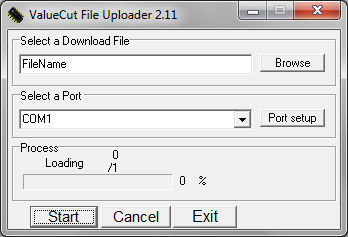
Run the ValueCut file uploader application.
-
Browse for your firmware.
-
Select the port "Common USB 800B"
-
Start the firmware installation.
-
The cutter will restart in User mode as soon as the firmware is installed.
Note
|