A new version of MacOS (Catalina) is released.
For MacSign users:
MacSign Cut does not support MacOS 10.15 Catalina yet.
The estimated release date of the new MacSign version supporting Catalina is the first quarter of 2020.
➢ Important notice: Do not update your MacOs system when you use MacSign Cut!
If by accident, you updated your MacOS, you will need to revert this.
The current versions of MacSign’s plug-ins for Adobe Illustrator are signed and work fine on MacOS 10.15 Catalina.
For Summa plug-in users:
The current version of Summa’s plug-in for Adobe Illustrator is not signed yet.
However, there’s an alternative way to work around it:
1. Close Adobe Illustrator
2. Download the plugin from Summa's website: https://www.summa.eu/en/vinyl-cutter-downloads
3. Double click or extract the downloaded file
4. Copy the file in the Adobe Illustrator Plugins folder
5. Push the CMD-key (COMMAND key) while you click on the Summa plug-in
6. Then select “Open with…” and select “Other…”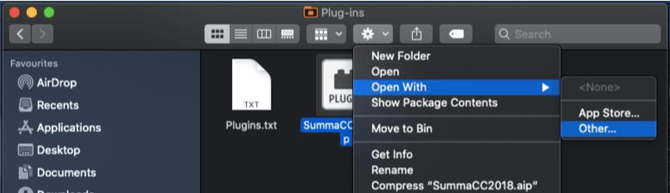
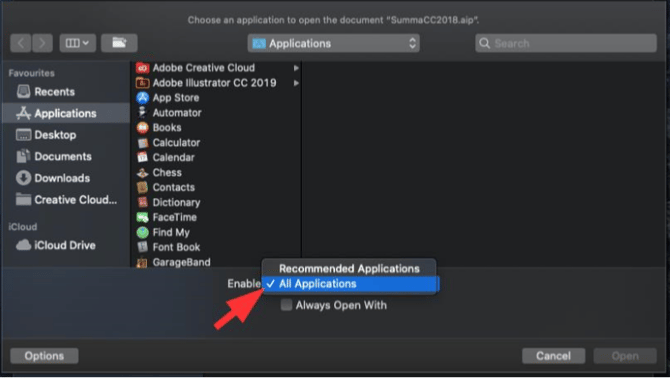
7. Enable “All Applications”
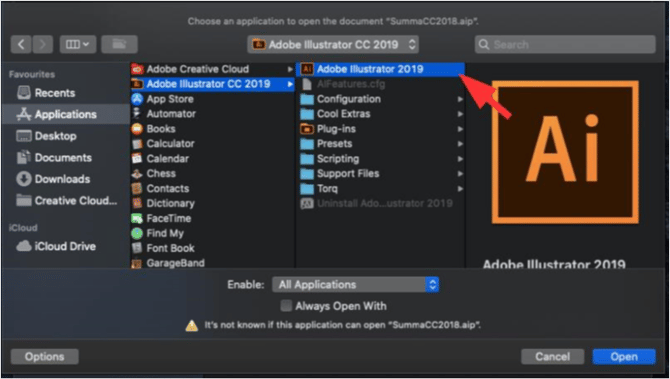
8. Select “Adobe Illustrator” and Open
9. A warning will appear on the screen, now select “Open”
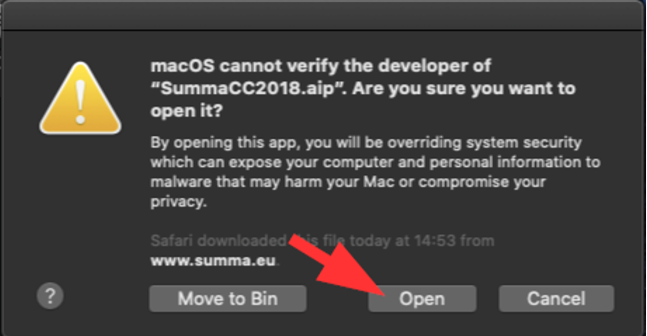
10. Illustrator will open and another window will appear. Select “Cancel”
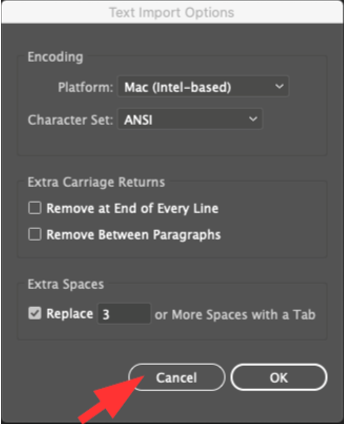
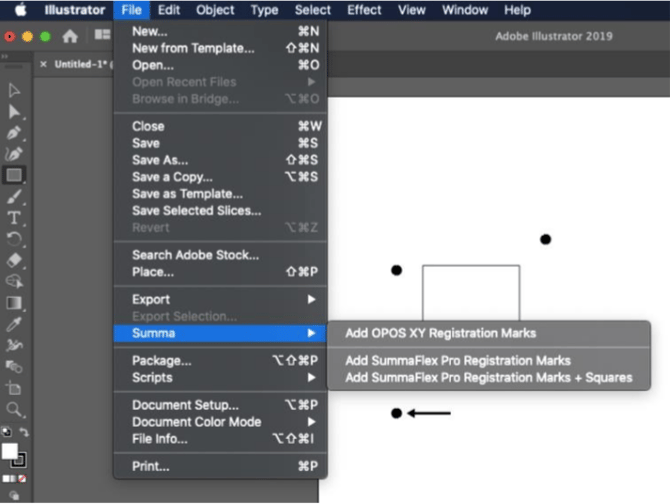
11. If you make a design now, the plugin to place the Summa markers should be available: