
● How to check firewall settings in Windows
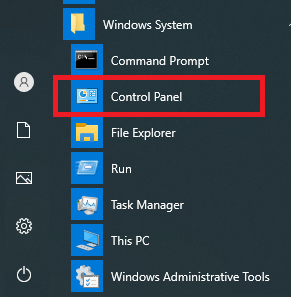
1. From the Start menu, go to [Windows System] > [Control Panel].
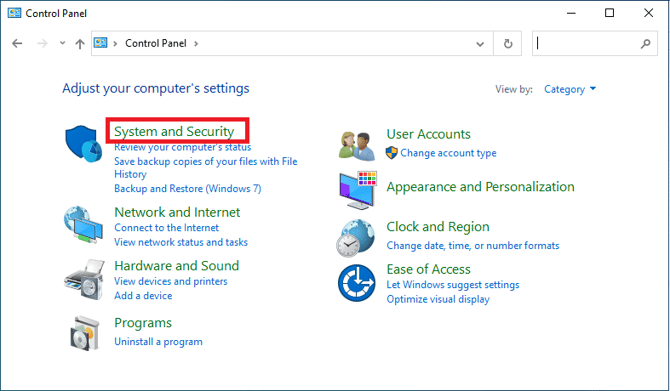
2. Click [System and Security].
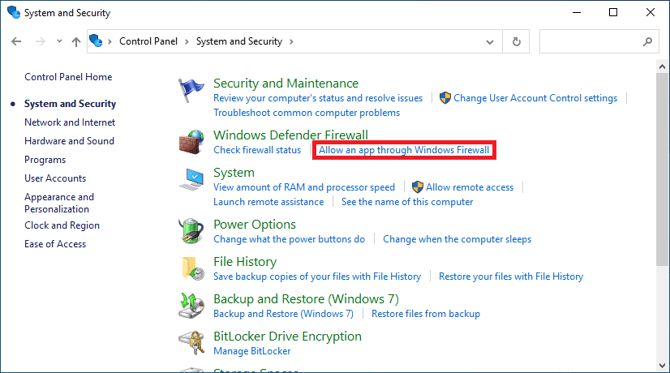
3. Click [Allow an app through Windows Firewall].
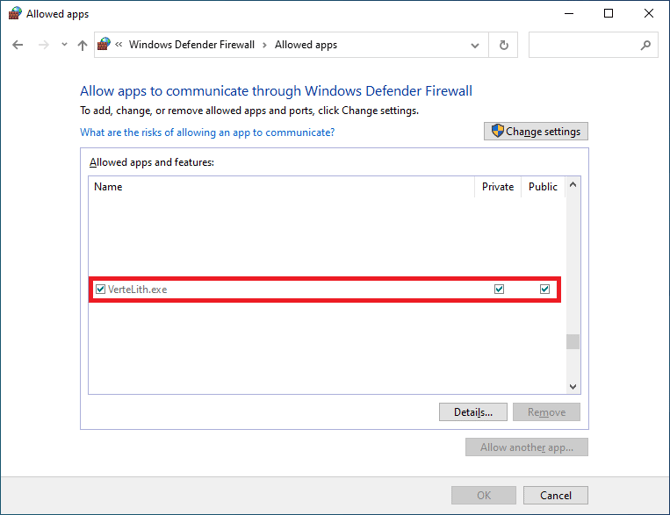
4. Check that VerteLith.exe is present in [Allowed apps and features]. If not present, follow these steps to add it.
●How to configure firewall settings in Windows
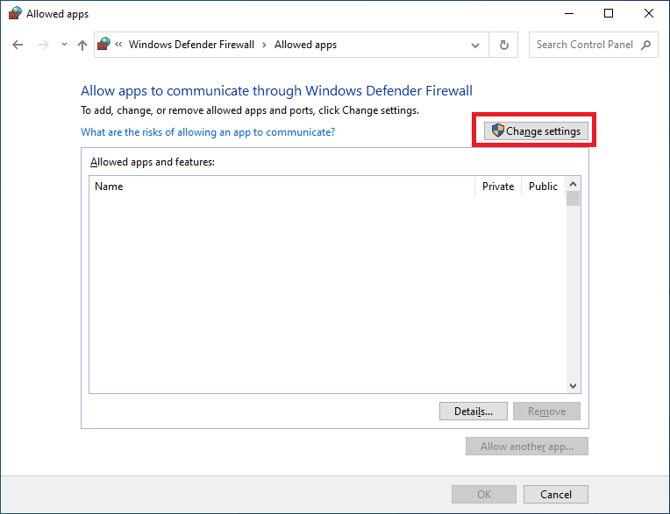
1. Click [Change settings].
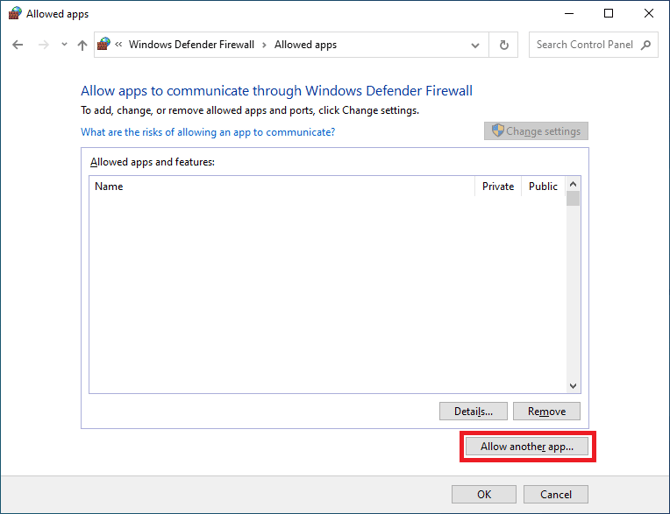
2. Click [Allow another app...].
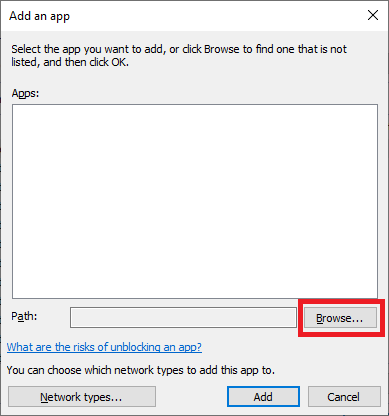
3. Click [Browse...].
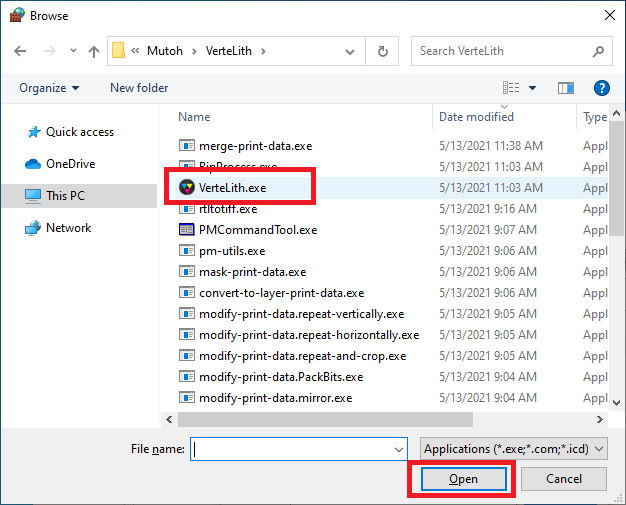
4. Open the following folder that VerteLith is stored. Select VerteLith.exe and click [Open].
e.g.) If it is stored in the C drive: C:\Program Files\Mutoh\VerteLith
5. Check that VerteLith.exe is added to [Allowed apps and features].