
You can transfer a VerteLith license to another MUTOH Club account as long as the new account belongs to the same company. The MUTOH Club is structured so that a company can have multiple user accounts, and licenses can be managed between them within the same company entity.
How:
- Log in to MUTOH Club using the current user account (the one that is using the license).
- Navigate to Vertelith Info > License Management.
- Unpair (release) the license from its current association.
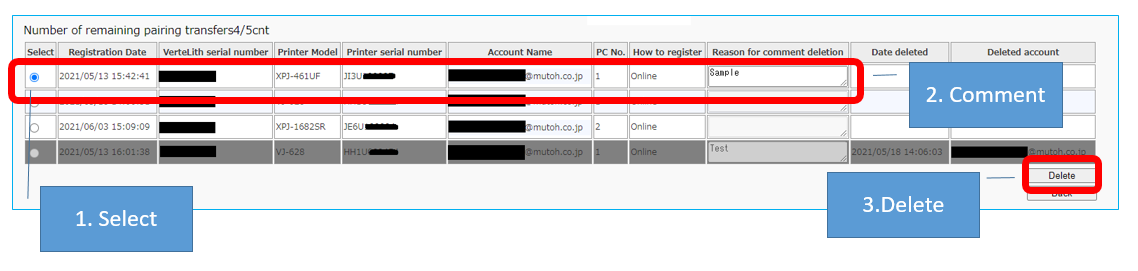
- Now there are 2 scenario's:
- Using the same PC:
- Uninstall VerteLith.
- Re-install VerteLith.
- use the license to add the printer in VerteLith using the new Mutoh Club account credentials.
- Using another PC:
- Uninstall VerteLith on the old PC.
- Install VerteLith on the new PC.
- use the license to add the printer in VerteLith using the new Mutoh Club account credentials.
- Using the same PC:
You have transferred the license to another Mutoh Club account / email-address.